01
Online admission form
Every submission lands as an enquiry in the ERP with a website source, so your front office can tell it apart from walk-ins and follow up from the existing enquiry list.
News, events and admission information published in ScholaroApp appear on your public site — no web developer needed. Admission enquiries from the website land straight in your ERP, ready for front-office follow-up.
For schools and institutes that want a fast, mobile-first website connected to their ERP and parent app.
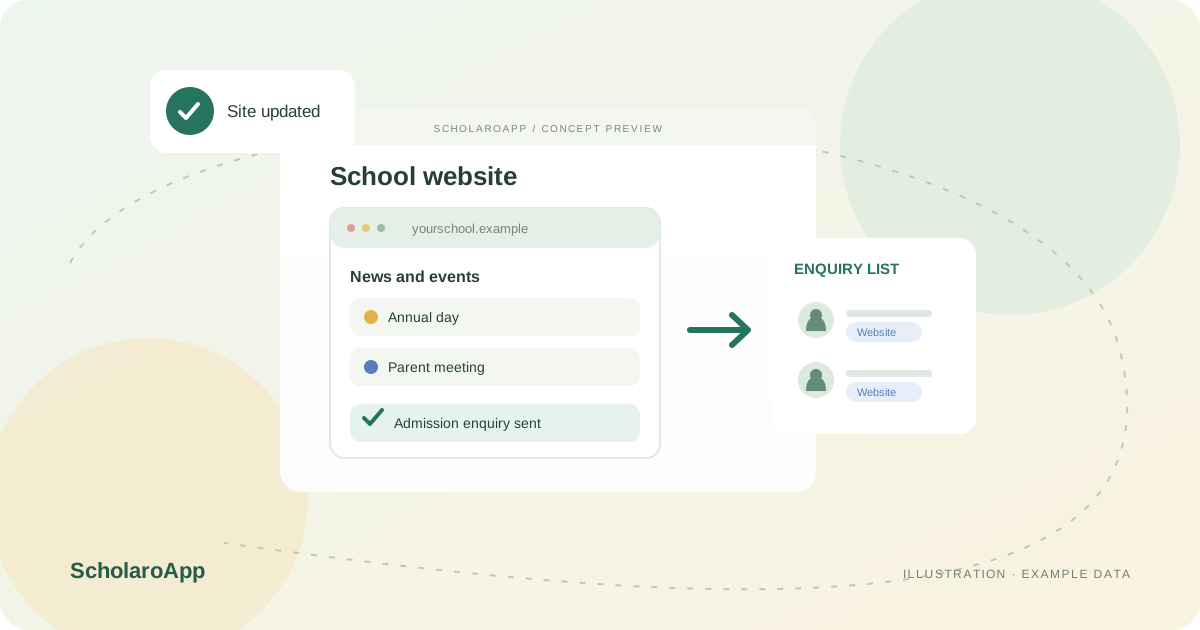
Your website is the first thing parents see. We design and build a fast, elegant website for your school or institute — and because it is connected to ScholaroApp, your own staff keep it up to date from the ERP they already use.
Admission enquiries from the website land straight in your ERP's enquiry list, and school-wide events published in ScholaroApp appear on the site in minutes. The pay-fees and login buttons take parents and staff into the existing ScholaroApp flows, so the public site and the ERP stay one connected experience.
Every submission lands as an enquiry in the ERP with a website source, so your front office can tell it apart from walk-ins and follow up from the existing enquiry list.
Parents continue from the website into the existing authenticated fee payment flow. Online payment still depends on your institution's configured gateway and plan.
One click from the website into ScholaroApp for parents, teachers and office staff — the same accounts they already use every day.
Active school-wide events published in the ERP appear in the website's news and events section automatically — annual day, parent meetings and holidays stay current.
Address, contact details, timings, board and affiliation come from your school settings, so the public site always matches what the office maintains.
Fast, elegant pages built for phones first and structured so prospective parents can find your school in local searches.
This page describes an ERP-connected public website: profile and event content, an online admission enquiry form and links into the existing login and fee flows. Design scope, custom pages, hosting, domains and search rankings are agreed per school — confirm them in a demo.
See exactly how it works for an institution like yours — a personalised walkthrough with pricing for your size, no obligation. Prefer to talk? Call +91 8882060228.
School profile details and active school-wide events published in the ERP appear on the public site. Confirm the sections included in your website build during the demo.
They arrive in your existing admission enquiry list marked with a website source, so your front office can tell them apart from walk-ins and work them like any other enquiry.
The website links to the existing authenticated parent fee payment flow. Online payment still depends on your institution's configured gateway and plan.
No. Events, profile details and admission information are maintained in ScholaroApp by your own staff. Custom design changes beyond the agreed build are discussed separately.
Yes. Our team sets up the website with you and trains your staff on publishing events and working website enquiries. Support is available by phone and email.